post image

What Developers Can Learn From TikTok’s Seamless UX Design

When you open TikTok, you’re met with an experience that feels almost effortless. No confusing menus, no clunky load times—just a fast, fluid stream of content that seems custom-built for you. That’s not an accident. TikTok’s user experience (UX) is one of the most polished and addictive in the app world today, and developers everywhere should be taking notes.

From its minimalist interface to the smooth transitions and razor-sharp content delivery, TikTok has quietly set a new standard for what seamless UX looks like in mobile apps. Here’s a breakdown of what makes it work so well—and what developers can borrow for their own projects.

The Power of the First Tap
tap

One of the most impressive things about TikTok is how quickly it pulls users into the app. Perhaps, creators are now learning how to buy views on tiktok, and it actually makes sense. From the moment it opens, you’re watching content. There’s no onboarding maze or splash screen that slows things down. That “instant engagement” strategy is a huge reason for TikTok’s stickiness. Developers can learn a lot from this: reduce friction. Whether you’re building a social app, an e-commerce site, or a productivity tool, the quicker a user gets to the core experience, the better. It’s also no surprise that creators looking to boost their reach are learning how to buy views to take advantage of that front-loaded attention. In such a fast-moving interface, visibility is everything.

Swipe-Based Navigation that Just Works

TikTok’s interface is built around the simplest possible interaction: the swipe. It’s intuitive, muscle-memory friendly, and requires zero explanation. Each swipe delivers new content, and the transitions between videos are smooth and lag-free. It makes discovery feel effortless, which is why users can lose hours to the app without realizing it. For developers, this speaks to the value of natural interactions. Swipes, gestures, and seamless transitions reduce cognitive load, allowing users to explore without overthinking. It’s UX that respects attention spans—and that’s powerful.

Minimalism With Purpose
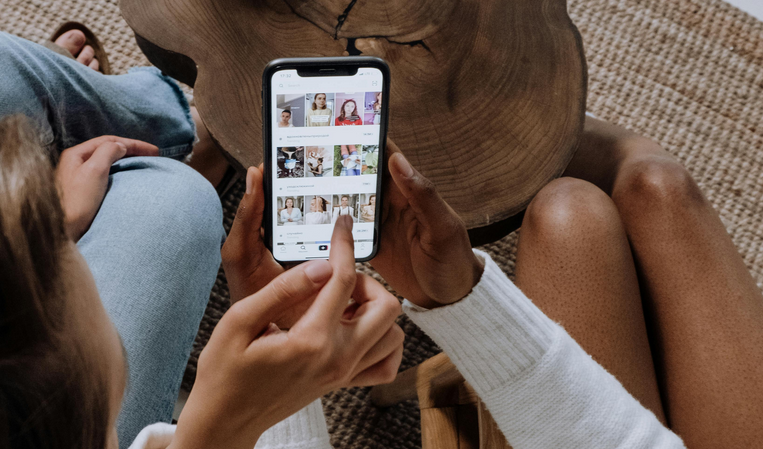
tiktok videos

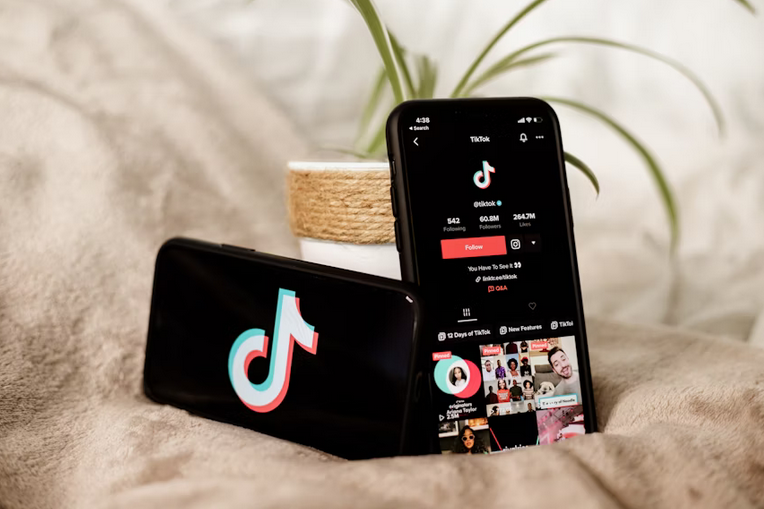
At first glance, TikTok’s design seems basic: just a single feed, a few buttons, and not much else. But this simplicity is intentional. By minimizing distractions, the app keeps the focus entirely on the content. The like, comment, and share buttons are there, but they’re tucked neatly along the right side—accessible, but not intrusive. This kind of purposeful minimalism is a lesson in restraint. Developers often want to pack in features and menus, but too much can overwhelm or confuse users. TikTok proves that less can be much, much more when the UX is designed around a single core experience.

Feedback Loops That Actually Feel Good

Every interaction on TikTok, from liking a video to following a creator, feels responsive. Animations are crisp. Notifications are clean and rewarding. More importantly, the algorithm responds to user behavior almost instantly, making you feel like your engagement actually matters. This kind of feedback builds trust between the user and the app. Developers can take inspiration from how TikTok acknowledges every interaction in a subtle, satisfying way. Whether it’s through micro-animations or personalization updates, these feedback loops keep people engaged and coming back.

Invisible Complexity
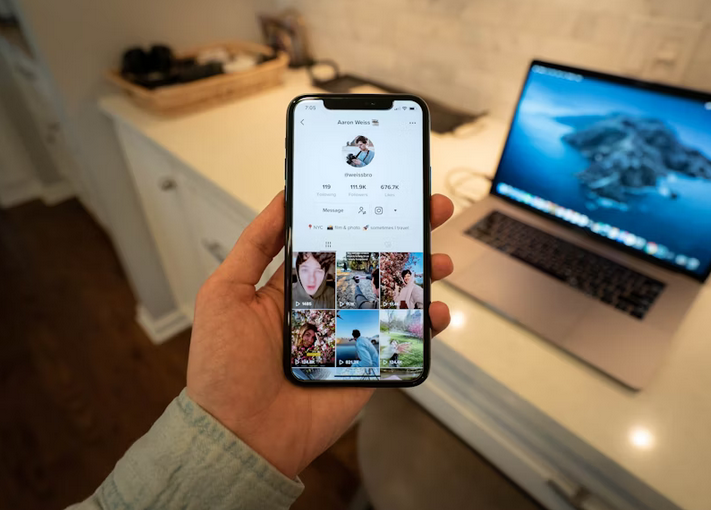
Behind TikTok’s simple interface is a complex engine of AI, content delivery networks, and performance optimization. But none of that is visible to the user—and that’s the point. The UX design masks all the heavy lifting happening behind the scenes, creating a smooth, near-magical experience. For developers, this is the holy grail: make the complicated feel simple. Whether you’re implementing AI features, handling heavy loads, or syncing real-time data, the goal is to never let the user feel the weight of the tech. TikTok does this better than most, and it’s a huge reason for its success.

TikTok’s UX isn’t just flashy—it’s functionally brilliant. It prioritizes immediacy, simplicity, and seamless interaction, all while running incredibly complex systems under the hood. For developers, it’s a masterclass in how to …
post image

Red Flags to Avoid When Buying TikTok Live Views Online

The TikTok Live boost trend is real—and so are the traps. With thousands of TikTok Live view services claiming they can explode your TikTok, it’s hard to know who’s legit and who’s just after your wallet. One wrong click, and suddenly you’re dealing with fake metrics, frozen streams, or worse, an account warning.

Before you even consider those services, know this: scams are more common than success stories. If it looks too good to be true, it probably is, unless you know what to watch out for. Below are the most common red flags that experienced users and forum veterans call out again and again.

They Ask for Your TikTok Login

This one’s non-negotiable. A provider asking for your TikTok password is waving a giant red flag in your face. They don’t need your login to send views. If they claim otherwise, run. Handing over credentials is how accounts get hijacked and sold. Legit services only ask for your username or link. Nothing more. Anything else is an invitation for trouble.

The Site Promises Instant 10K Views

Speed sounds exciting until TikTok notices. Any provider promising instant massive numbers is likely sending bots. These are easy for the algorithm to detect. The result? Engagement drops and visibility tanks. Organic growth doesn’t happen in seconds. A slow, consistent delivery is safer and smarter.

They Have No Clear Refund Policy

refund

Buying views is already a grey zone. If the service doesn’t work as promised, you’ll want a way out. But shady providers often hide behind vague or missing refund terms. Scroll to the bottom of their site. Look for actual terms, not just empty words. If they can’t be upfront about refunds, what else are they hiding?

Customer Reviews Look Too Perfect

Five-star reviews plastered across the homepage. All glowing. All suspiciously generic. If every “customer” says the exact same thing, chances are it’s not real feedback. Instead, search outside the site. TikTok forums, Reddit threads, or Twitter mentions usually tell the unfiltered story.

There’s No Option to Choose Delivery Speed

live viewers

This is a small but crucial detail. A decent provider lets you choose how fast or slow the views come in. Why? Because not every stream should blow up instantly. Sudden spikes look artificial and might trigger TikTok’s fraud detection. If the provider dumps all the views in five minutes with no option to space them out, that’s a problem.

Support Takes Forever (or Never Replies)

You’ll know a service is sketchy by how they treat questions. If they don’t reply before the sale, don’t expect help after they’ve got your money. Test them. Ask something small. If it takes two days and the answer reads like a copied script, walk away. After all, buying TikTok Live views doesn’t have to be a risky gamble.

But it becomes one when you ignore the warning signs. Keep your eyes open, ask the awkward questions, and don’t let flashy promises distract you from the basics: transparency, control, and actual results. You can still grow smart. Just don’t do it blindfolded.…

post image

How Smart Tech Can Help You Increase TikTok Engagement Overnight

If you’ve been grinding on TikTok with clever content and trending sounds but still not seeing the engagement you want, smart tech might be the missing piece. The TikTok algorithm loves activity, creativity, and consistency—but navigating all of that on your own can be overwhelming. Luckily, the right tools can make it a whole lot easier. Whether you’re trying to go viral or just grow a dedicated following, here’s how smart technology can help you wake up to better numbers—fast.

AI-Powered Editing Makes Your Videos Pop

Let’s face it: attention spans are short. Viewers decide in seconds whether to scroll past or stay. AI editing tools can help you trim the fluff, add dynamic effects, and sync perfectly with audio. Apps like CapCut and Adobe Premiere Pro’s AI features can automatically generate cuts, transitions, and even subtitles—ensuring your content hits harder without taking hours to perfect.

TikTok Engagement Packages Jumpstart Visibility

When you’re just starting or trying to break out of a plateau, TikTok Engagement packages can be a strategic boost. These bundles typically include likes, comments, and followers—giving your posts that initial traction the algorithm favors. While organic engagement is the goal, packages can help your content appear more popular at first glance, increasing the chances it gets shared or lands on the For You Page. Combined with great content, they can turn a dormant profile into an active one almost overnight.

Smart Hashtag Generators Take Out the Guesswork

FYP

Hashtags aren’t just a trend—they’re a science. AI-based hashtag generators analyze what’s trending and what’s relevant to your video, then give you a custom list designed to boost discoverability. No more guessing whether #fyp or #viral is overused. These tools help you find niche hashtags your audience is engaging with, which increases the likelihood your content gets seen by the right people.

Scheduling Tools Keep You Consistent

Posting at random times can kill your momentum. Smart scheduling platforms like Later, Hootsuite, and Metricool let you queue up videos in advance and post during peak engagement hours. Some even analyze your audience’s behavior to recommend the best times to upload. Consistency is one of TikTok’s biggest ranking factors, and with scheduling tools, staying consistent becomes automatic—even when life gets chaotic.

Analytics Platforms Tell You What’s Working

analytics

Smart analytics tools dig deeper than TikTok’s native insights. They tell you which videos are keeping viewers watching, what topics your audience responds to, and how different hashtags perform. Armed with that data, you can pivot your strategy based on real numbers instead of hunches. Over time, this allows you to create smarter, more targeted content that naturally earns more engagement.

AI Caption Tools Help You Write Like a Pro

Struggling to write captions that engage or drive clicks? AI writing assistants like Jasper or Grammarly’s tone detector can help you craft copy that’s punchy, clear, and perfectly on-brand. Good captions don’t just support your video—they invite conversation, encourage likes, and inspire followers. Whether you’re being funny, informative, or inspirational, AI can help you say it better and faster.

TikTok rewards creativity, but it also favors those who play smart. By tapping into AI tools and automation, you don’t have to burn out chasing trends or manually managing every part of your strategy. Smart tech won’t replace your personality or creativity—it just amplifies it. If you’re ready to see your TikTok engagement rise overnight, let these tools do some of the heavy lifting while you focus on what you do best: making great content.…